Publishing for people and their AI agents
Publish what you make. Share the link. Go back any time.
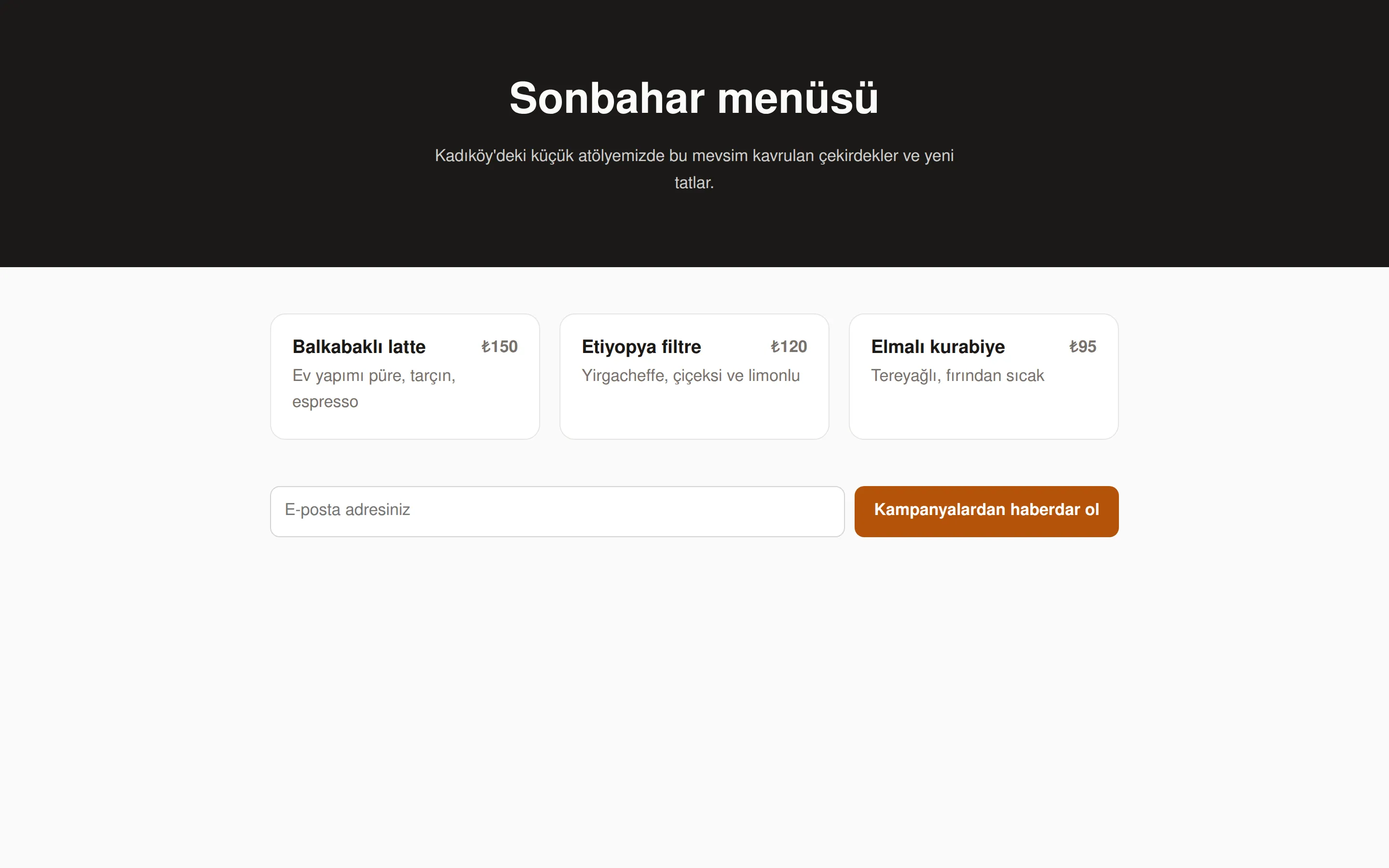
An HTML file, a folder or a built site: Taslak gives it a permanent address in seconds. Every publish is kept as its own version, and you decide who can open it. Drag and drop in the panel, publish from the terminal, or let your agent do it.
No account needed to try. No card for the free plan.
How it works
From your folder to a live site in six steps
- 01
Publish
Drop a folder in the panel, run one command, or let your agent do it. Only changed files are uploaded.
- 02
Address
The site opens at once at its own taslak.page address, or on your domain.
- 03
Version
Each publish becomes its own version, with a note, reviewed at its own address.
- 04
Share
Public, password or private. Share links and invited people.
- 05
Feedback
Reviewers leave comments on the exact spot of the page; you answer and resolve them.
- 06
Go live
Put a ready version live with one click; if something goes wrong, go back to the one before.
Features
More than hosting, still simple
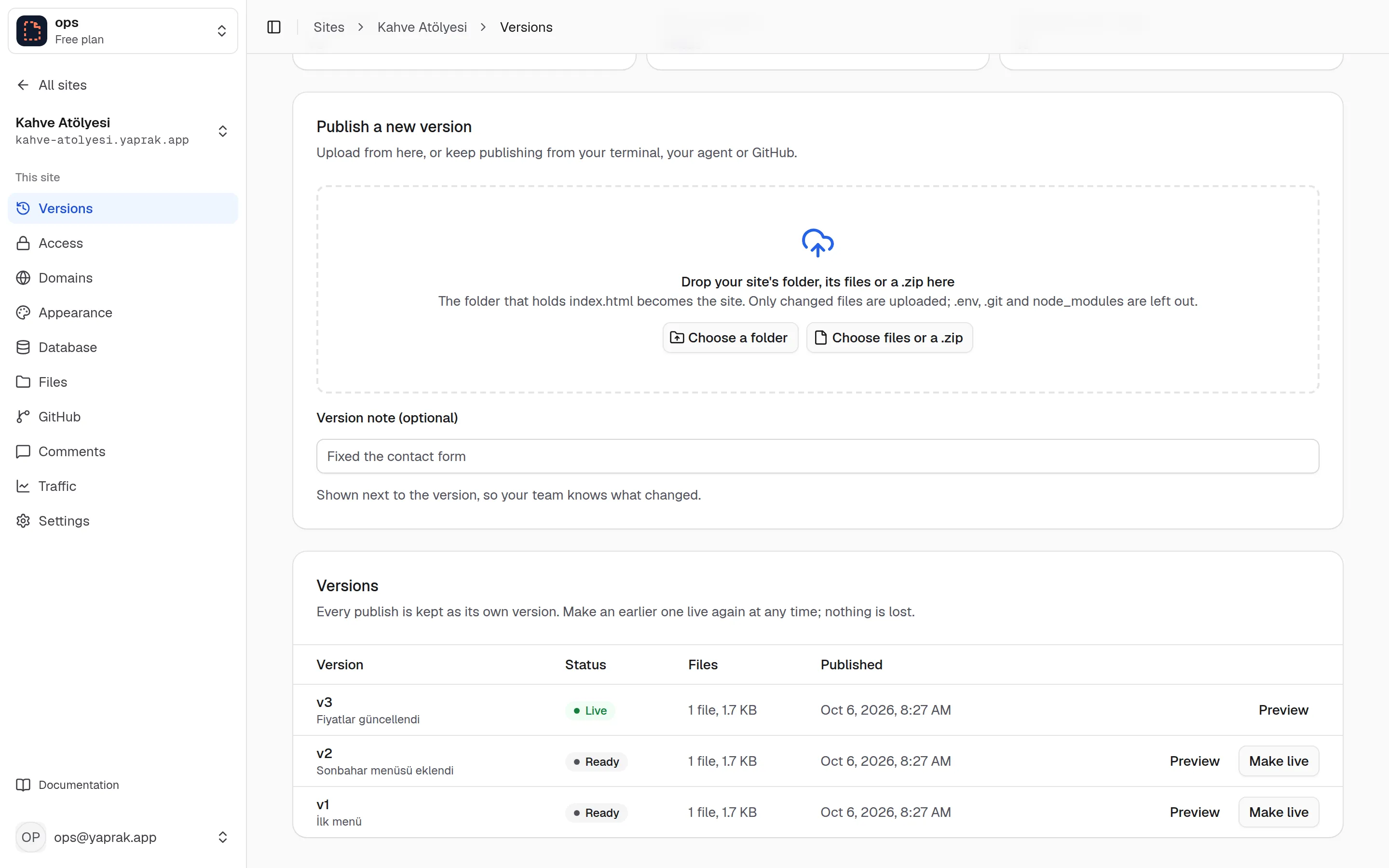
Versions and rollback
No publish is ever lost
Every publish is kept as an unchanging version with its own address, such as v3--your-site.taslak.page. The live version is a single pointer: making an earlier one live again takes a second and uploads nothing. Add a short note so your team knows what changed.
- Only changed files are uploaded; the same file is never stored twice.
- .env, .git and node_modules are always left out.
- Every push to GitHub publishes; other branches open at their own address without going live.
Access
You decide who sees it
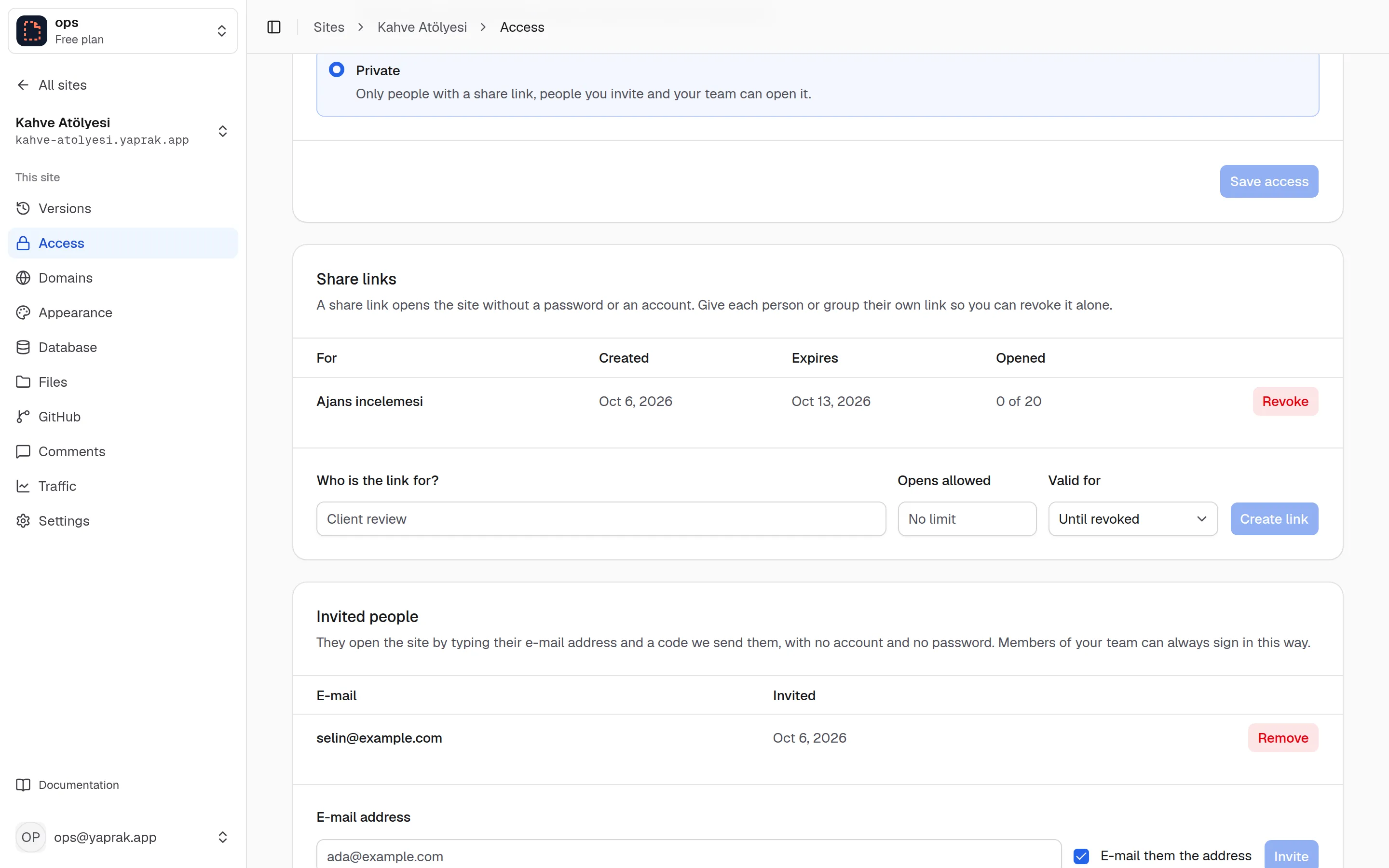
A site can be public, behind a password or private. A private site opens for people with a share link, people you invite by e-mail and your team. Invited people need no account; they sign in with a code sent to their e-mail. Keep some pages open to everyone, and sign every visitor out with one button.
- Give share links an expiry and a use limit; revoke them one by one.
- Visitors of a private site can ask for access; approving it invites them.
- Preview links let team members in for 12 hours.
Database
Forms without a server of your own
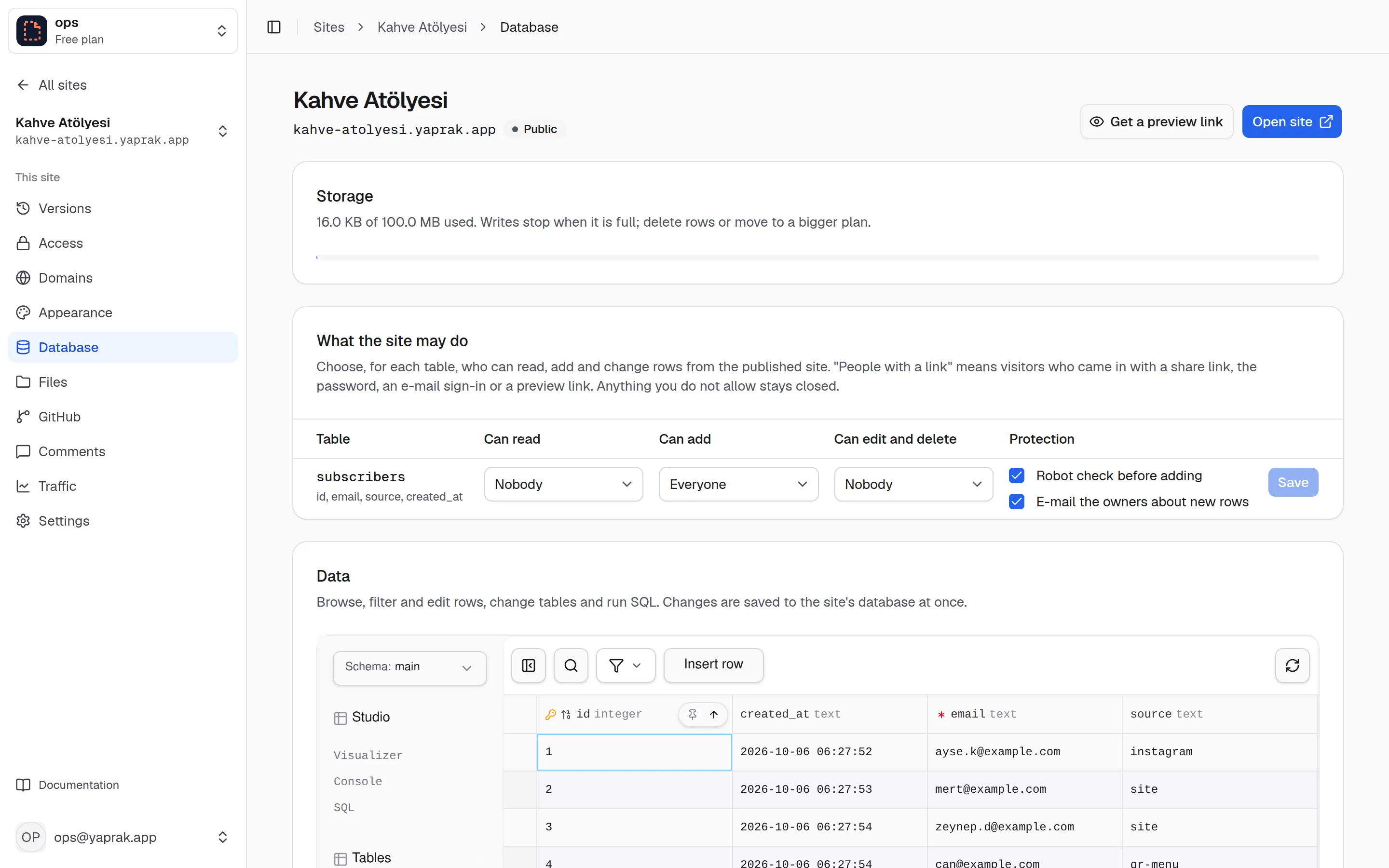
Add one script line to your site and forms, sign-ups and comments go into the site's own SQL database. You choose, table by table, what the site may read and write. Browse, filter and edit rows in the studio built into the panel.
- Anything you do not allow stays closed: reading, adding and editing each on its own.
- A robot check before inserts and e-mail notices for new rows.
- There is also file storage with folders for visitor uploads.
Statistics
Honest numbers, no cookies
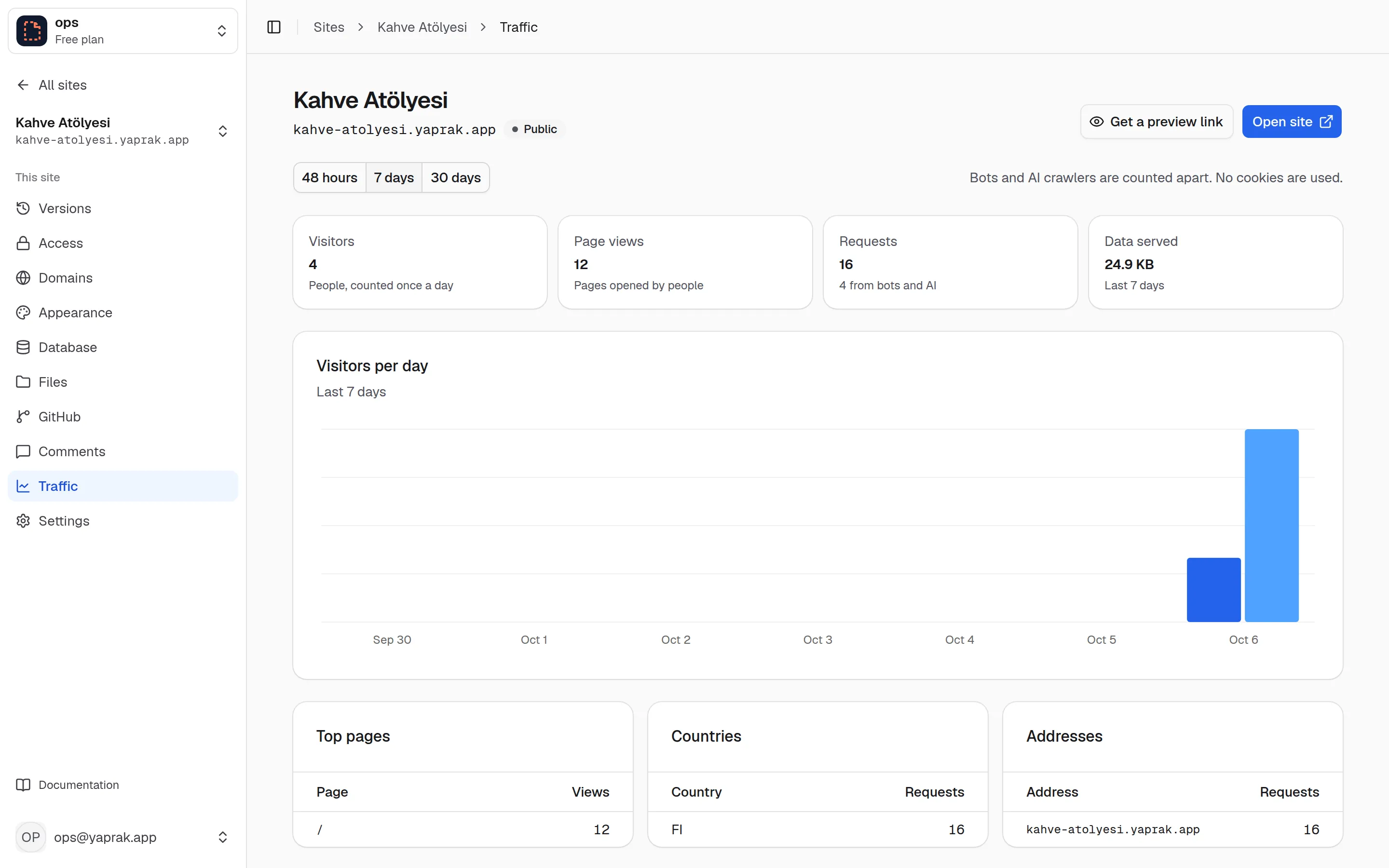
Visitors, page views, top pages, countries and the addresses the site was opened on. Visitors are counted without cookies, with an anonymous id that changes every day; bots and AI crawlers are kept apart. The last 48 hours, 7 days or 30 days.
- See errors at once in the list of recent requests.
- No cookie banner needed; who the visitor is is never stored.
Everything else a site needs
Your own domain
CNAME or nameservers, automatic certificates, a primary address and redirects between www and the bare domain.
Builds and GitHub
Vite, Next.js, Astro, Nuxt and others build in isolated cloud containers. Every push publishes.
Comments on the page
Your client or team pins comments to the exact spot on a version.
Redirects and rules
Netlify-style _redirects and _headers, proxying to other servers, rules by country and language.
Appearance
Password, private and not-found pages with your logo and colour; sharing tags and analytics snippets.
Teams and security
Owner, admin and editor roles; two-step sign-in, a list of sessions and scoped API keys.
For agents
Your agent publishes. You stay in charge.
Claude, Cursor, Codex and other assistants publish through the MCP server or the CLI. When they want to do something you should decide, such as making a site public, they ask and wait for your approval; you get an e-mail.
- Local MCP server, or the hosted one with OAuth sign-in
- API keys limited to publishing, to chosen sites and to an expiry date
- Plain-text docs at /setup.md and /llms.txt that agents read on their own
- Claude Code
- $ claude mcp add taslak -- npx -y https://taslak.dev/cli/taslak.tgz mcp
- Hosted MCP
- $ https://api.taslak.dev/mcp
- curl
- $ curl -F "files=@index.html" https://api.taslak.dev/v1/publish
- CLI
- $ npx -y https://taslak.dev/cli/taslak.tgz publish ./dist
- Result
- https://kahve-atolyesi.taslak.page
Pricing
Start free, pay when it grows
Plans belong to a team. Only the live version of each site counts toward storage.
Free
For personal projects
$0 / month
- 20 sites
- 500 MB of live sites and files
- 100 GB traffic a month
- 20 custom domains
- 100 MB database per site
- 1 member
Go
PopularFor your own work, commercial too
$5 / month
- Unlimited sites and domains
- 10 GB of live sites and files
- 1 TB traffic a month
- 1 GB database per site
- Hide the Taslak badge
- 1 member
- $5 of usage credit each month
Plus
For teams
$15 / month
- Unlimited sites and domains
- 50 GB of live sites and files
- 1 TB traffic a month
- 10 GB database per site
- 3 builds at the same time
- 10 members with roles
- $15 of usage credit each month
Usage billing starts on 1 January 2027: on paid plans what you pay comes back as usage credit, and traffic beyond 1 TB is $0.02/GB.
All limits are on the limits page.
Frequently asked questions
Do I need an account?
No. Publish with one curl command and you get a link right away. It stays up for 33 hours 20 minutes after the latest publish; claim it with a free account to keep it at the same address.
What can I publish?
Anything that is files: a single HTML page, a folder, or the build output of Vite, Next.js (static export), Astro, Nuxt, SvelteKit, Docusaurus and others. With an account, Taslak builds the project for you. Server code does not run.
Can I use my own domain?
Yes. Add a CNAME record, or hand the domain's nameservers to Taslak if your provider only takes IP addresses. Certificates are issued automatically.
What happens if I publish something broken?
Every publish is a new version with its own address. Make any earlier version live again in a second; nothing is overwritten.
How do agents use it?
Through the CLI, the local MCP server or the hosted one at api.taslak.dev/mcp with OAuth sign-in. Agents ask for your approval before something you should decide, and API keys can be limited to publishing one site.
Where are my sites kept?
Files and databases are stored on Cloudflare's storage and served from its global network. Visitor statistics are kept without cookies.
From the blog
All postsPublish an HTML file in a minute
Put a page at a permanent address with one curl command, no account and no server; then claim it and keep publishing with the CLI.
Publish a site from Claude Code with MCP
Add the Taslak MCP server to Claude Code, let the agent publish, and make it ask for your approval before decisions that are yours.
Protect a static site with a password or invitations
Passwords, private access, share links and e-mail invitations for client reviews, internal docs or a page that is not announced yet.
Put your first site online now
One command, no account. Keep it if you like it.
curl -F "files=@index.html" https://api.taslak.dev/v1/publish